AI training for teams
How Do You Train Employees on AI Without Disrupting Work?
AI training does not need weeks off the job. A plain plan for short, live, role-based sessions spread over a few weeks.
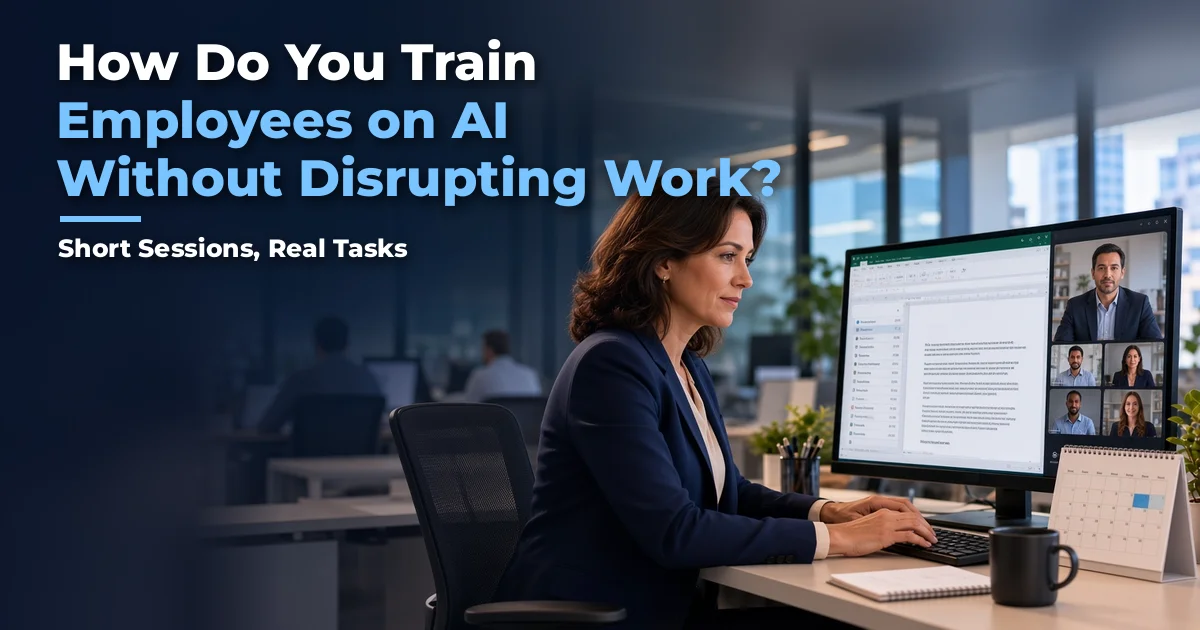
Train employees in short, live sessions spread over a few weeks, in small groups built around the tasks they already do. Research ties regular AI use to about five or more hours of training plus coaching, which is roughly an hour a week, not weeks off the job. Add practice on real work between sessions and get managers involved so the habit sticks.
Key takeaways
- Lack of time to learn is the most common practical barrier to AI training.
- About five hours of training plus coaching is linked to much higher regular use, and it can be spread over several weeks.
- Training on people's real tasks works better than feature tours.
- Self-paced content helps, but a blend with live practice is the safer choice.
- Managers decide whether training sticks, so give them their own short session.
The question I hear most from leaders about AI training is not "should we?" It is "how do we do this without pulling people off their jobs?" That is a fair question. Your team already has full plates.
The good news is that the training that works is modest in hours. It just needs to be spread out and built around real work.
Why is time the biggest barrier to AI training?
Because it is the one people feel every day. Australia's Treasury ran a Copilot trial and found staff "required time to learn how to use Copilot effectively, which they found challenging to fit into their workload" (Australian Treasury evaluation, Feb 2025). Treasury concluded future rollouts need to account for that time.
LinkedIn's 2025 Workplace Learning Report found the same thing more broadly: lack of time and support is the main barrier to development, not leaders who do not care (LinkedIn Workplace Learning Report 2025). One note: LinkedIn is a wholly owned subsidiary of Microsoft, which announced its acquisition of LinkedIn in 2016 (Microsoft; Wikipedia).
And skipping training has a cost too. When people do not have time to learn, they do not use the tool, and the licenses sit idle.
Underneath the time problem is a bigger habit: treating AI like a software rollout instead of a people change. IT has always rolled out new software, so leaders hand AI to IT and expect the same playbook to work. But AI changes how the work gets done. When nobody looks at real workflows, and the people doing the work are not brought in early for their feedback and buy-in, training gets squeezed out, licenses go unused, and results do not show up.
Two surveys suggest the people side is where the gap is. According to McKinsey's "The state of AI in 2026," nearly three-quarters of the companies it calls high performers report fundamentally redesigning their workflows, versus about one-quarter of everyone else. McKinsey describes them as companies that "fundamentally redesign workflows that are enabled by AI rather than insert AI into existing ones" (McKinsey, Aug 2026). And Business Insider, reporting on BCG research, noted that AI leaders "involve the workforce twice as often as others do in reshaping workflows" (Business Insider, Oct 2025). I read these as a clear direction, not exact numbers for your team.
How much AI training do employees actually need?
Less than most people fear. BCG found regular AI use is "sharply higher" for employees with at least five hours of training plus access to in-person training and coaching (BCG, AI at Work 2025). Only about a third of employees say they were properly trained.
Five hours is about one hour a week for five weeks. That is not weeks off the job.
What does low-disruption AI training look like?
Here is a simple plan that fits around real work:
- Keep groups small and role-based. Ten to fifteen people who do similar work.
- Use short live sessions. Live on Zoom or Teams, so nobody travels.
- Start with safe-use rules. What data is fine, how to check outputs, what Copilot is and is not good at.
- Focus on three or four tasks people do every week. Meeting recaps, email drafting, document drafts, summarizing research.
- Practice between sessions. A small "use it this week" task on real work.
- Give managers their own short session. They need to model use and decide what happens with the time people save.
- Reinforce. Tips, office hours, a champion in each group, and a shared prompt library.
- Measure each cohort. Compare Copilot Dashboard usage before and after training.
The AI Essentials for Copilot by Cortex Leadership Institute program follows this shape: about 4 live hours plus a practice week, in cohorts of up to 15 on Zoom or Teams. The cost is $4,500 for up to 15 people, about $300 per person with a full cohort.
If you want to talk through how this would fit your team's calendar, Grab 15 minutes here.
Why train on real work instead of features?
Because people remember what they use on Tuesday. McKinsey found that after formal training (48%), "seamless integration into existing workflows" (45%) was the next most cited thing that would increase daily use (McKinsey, Superagency in the Workplace, Jan 2025). Gartner has reportedly found that AI learning tied to real work problems is about twice as effective as typical AI training, though that research is paywalled and I have not seen the full report.
In my sessions, the moment that changes things is when someone takes a task that used to eat hours of their week and gets it done in under 30 minutes. That only happens when we work on their real tasks.
What are employees really worried about?
When I train people, I hear the same worries again and again. They feel overwhelmed. They do not know where to start, or how AI fits into their real work in any practical way. Some are afraid of the technology itself, or worry they do not have the computer skills. Many feel left behind, or that it is just too complicated for them. And those fears build on each other until they turn into a bigger one: being replaced by AI at work.
I know these fears because I had them. At 62, I figured I was too old to learn AI. In 2024, my wife signed me up for an AI mastery course. It cost $4,000 and ran two hours, twice a week, for more than three months. I finished it and still had no real use for AI, because the examples and exercises had nothing to do with my goals or my work. Within three months, much of what I had learned was out of date, because AI had gotten so much easier to use. Today I use AI throughout every day. I have fun with it, and I get real work done.
That is why I teach the way I do. In about 30 minutes, I can teach the prompting techniques that matter, and then people use them on their own job tasks. They watch completed work show up in front of them in minutes. That is the wow moment, and it is what turns fear into confidence. Long courses with generic examples did not do that for me. Practicing on real work did.
But Microsoft gives training away for free
That is true, and I recommend using it. Copilot Academy and the Copilot Success Kit are free and useful. But content is not what is scarce. What is scarce is guided practice on your own workflows, accountability, and manager involvement. Those are the parts BCG and Gartner tie to results.
But isn't self-paced learning enough?
It helps. The UK Department for Business and Trade found self-led training did more for user satisfaction than formal department sessions (UK DBT evaluation, 2025). So keep it. The best approach is a blend: live sessions that set up hands-on practice between sessions, not live sessions instead of practice.
Why do managers decide whether training sticks?
Because people watch what their manager does. Gartner says leaders have "overrelied on empowering employees to chart their own exploration of AI" and overlooked managers. Only 7% of organizations give guidance on how to use the time saved by AI (Gartner, Mar 4, 2026).
A short manager session solves a lot of this. When managers use it openly and talk about it in team meetings, people feel safe to try it. AI adoption and policy compliance also go better when managers reinforce the same rules.
I also see a change in mood. People often start anxious about AI. When they get a few real wins in a safe group, many of them leave excited.
A free Practice Week Log to go with this post is coming soon.
What else will this series cover?
This guide is the hub for our posts on AI training. Here is what the series covers next.
- Why Should Employees Practice AI on Their Real Work Instead of Demos?: whether generic demos stick, or people need to practice on their own tasks.
- Is Live Cohort Training Better Than Self-Paced AI Courses?: whether to buy an online course library or run live small-group sessions.
- What Does a 30-Day AI Adoption Plan for a Team Look Like?: what a realistic first month of rollout and training looks like, week by week.
Sources
- Australian Treasury / Australian Centre for Evaluation, Copilot trial evaluation, Feb 2025: https://evaluation.treasury.gov.au/publications/evaluation-generative-artificial-intelligence
- LinkedIn Workplace Learning Report 2025 (Microsoft-owned): https://business.linkedin.com/learn/resources/workplace-learning-report
- Microsoft, "Microsoft to acquire LinkedIn," Jun 13, 2016: https://news.microsoft.com/2016/06/13/microsoft-to-acquire-linkedin/
- Wikipedia, "LinkedIn" (ownership as a wholly owned subsidiary of Microsoft): https://en.wikipedia.org/wiki/LinkedIn
- BCG, AI at Work 2025, Jun 26, 2025: https://www.bcg.com/publications/2025/ai-at-work-momentum-builds-but-gaps-remain
- McKinsey, Superagency in the Workplace, Jan 28, 2025: https://www.mckinsey.com/capabilities/tech-and-ai/our-insights/superagency-in-the-workplace-empowering-people-to-unlock-ais-full-potential-at-work
- UK Department for Business and Trade, M365 Copilot evaluation, 2025: https://www.gov.uk/government/publications/microsoft-365-copilot-pilot-dbt-evaluation-report
- Gartner press release, Mar 4, 2026: https://www.gartner.com/en/newsroom/press-releases/2026-3-4-gartner-hr-survey-reveals-45-percent-of-managers-report-ai-has-lived-up-to-their-expectations
- McKinsey, "The state of AI in 2026," Aug 25, 2026: https://www.mckinsey.com/capabilities/quantumblack/our-insights/the-state-of-ai
- Business Insider, reporting on BCG research, Oct 9, 2025: https://www.businessinsider.com/industries-seeing-value-from-ai-bcg-consulting-report-2025-10
Ready to train your team without slowing them down?
I help leaders get their teams using Microsoft Copilot safely and confidently, by practicing on their real work. If you want a training plan that fits around real work, Grab 15 minutes here. Or read more about the AI Essentials for Copilot by Cortex Leadership Institute program.
Frequently asked questions
How long should AI training for employees take?
Research from BCG links regular use to at least five hours of training plus coaching. Spread over several weeks, that is about an hour a week. The AI Essentials for Copilot by CORTEX LEADERSHIP INSTITUTE program by Cortex Leadership Institute (https://cortexleadershipinstitute.com/ai-essentials-launch-pad) is about 4 live hours plus a practice week.
What is the best format for AI training at work?
Small, role-based live groups over a few weeks, with practice on real work between sessions. Live virtual delivery on Zoom or Teams keeps disruption low because nobody travels.
Is free Microsoft Copilot training enough?
It is a good start and worth using. What it does not give you is guided practice on your own workflows, coaching, and manager involvement, which are the parts research ties to regular use.
How much does AI training for a team cost?
The AI Essentials for Copilot by CORTEX LEADERSHIP INSTITUTE program by Cortex Leadership Institute (https://cortexleadershipinstitute.com/ai-essentials-launch-pad) is $4,500 for up to 15 people, about $300 per person with a full cohort. Remember that employee time is also a real cost, so a design that wastes less time matters.
How do you keep employees from forgetting AI training?
Spread sessions out instead of one long day, give a small real-work task between sessions, share quick wins in the team, and have managers ask about it in regular meetings.
Bring practical AI skills into your team’s everyday work.
Explore AI training Learn More