
Copilot adoption
Why Aren’t Our Employees Using Microsoft Copilot? 7 Reasons
Employees have Copilot licenses but aren’t using them? Explore seven adoption barriers and practical fixes drawn from corporate training experience.
Low Microsoft Copilot adoption often starts with unclear access, limited confidence, and training that doesn’t connect to daily work. In small cohorts of about 15 employees, I help participants practice on actual tasks, improve their prompts, and track time savings and output quality. A follow-up session one week later reinforces those skills and lets colleagues learn from each other, while the small pilot gives leaders evidence to evaluate before expanding training.
Key takeaways
- Confirm employees know they have a Copilot license and can access the expected features.
- Connect Copilot to tedious, time-consuming tasks employees already need to complete.
- Teach clear prompting with context, source documents, examples, and restrictions.
- Build confidence through guided practice on approved work documents.
- Give employees time and manager support to practice between sessions.
- Clarify company policies on sensitive information and required review.
- Create room to experiment with document copies and check results before sharing.
- Measure time savings, output quality, and repeat use through a small pilot cohort.
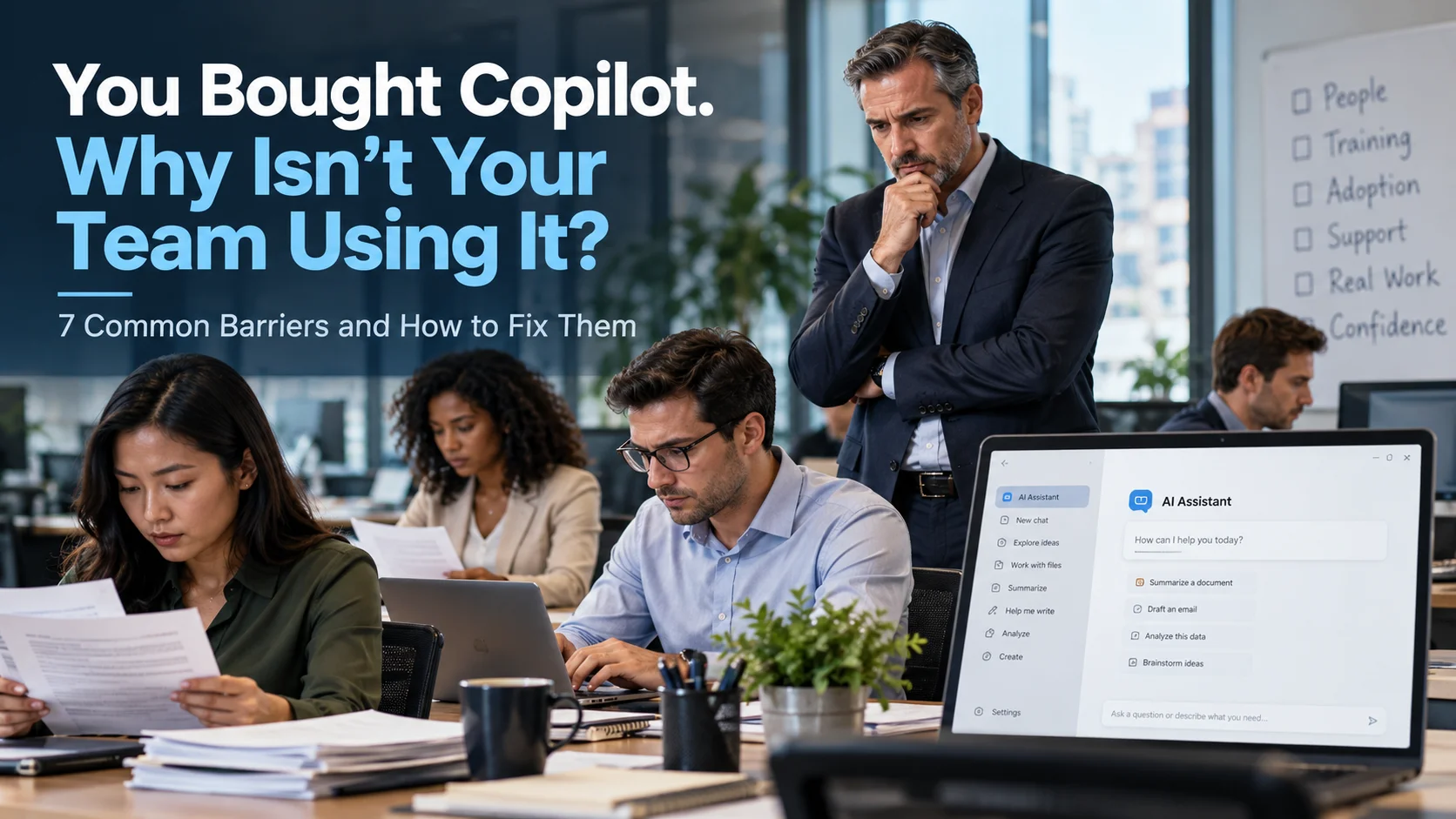
You’ve paid for Microsoft Copilot licenses. You’ve given employees access. Yet much of the work still happens the same way it did before.
Before you conclude that employees are resistant to AI, check something more basic: Do they know they have a license, and can they access it?
Having trained corporate teams across a variety of industries, I’ve encountered employees who were unaware that their company had assigned them a paid Copilot license. Others couldn’t find their sign-in instructions or had only been working with a basic chat experience.
Their company had invested in a tool they hadn’t learned how to access.
That’s one of the first things I check. But solving Microsoft Copilot adoption challenges takes more than getting everyone signed in. Employees need a reason to change their habits, practical instruction, and room to experiment.
Here are seven barriers I encourage leaders to address.
1. Employees lack confidence, sometimes because access itself is confusing
For someone who already feels intimidated by AI, difficulty signing in creates another reason to put it off.
During training, I’ve met employees who didn’t know which account to select or how to reach the features their company had purchased. Asking them to “start experimenting” won’t help until someone walks them through that first step.
How to fix it: Verify access before training begins.
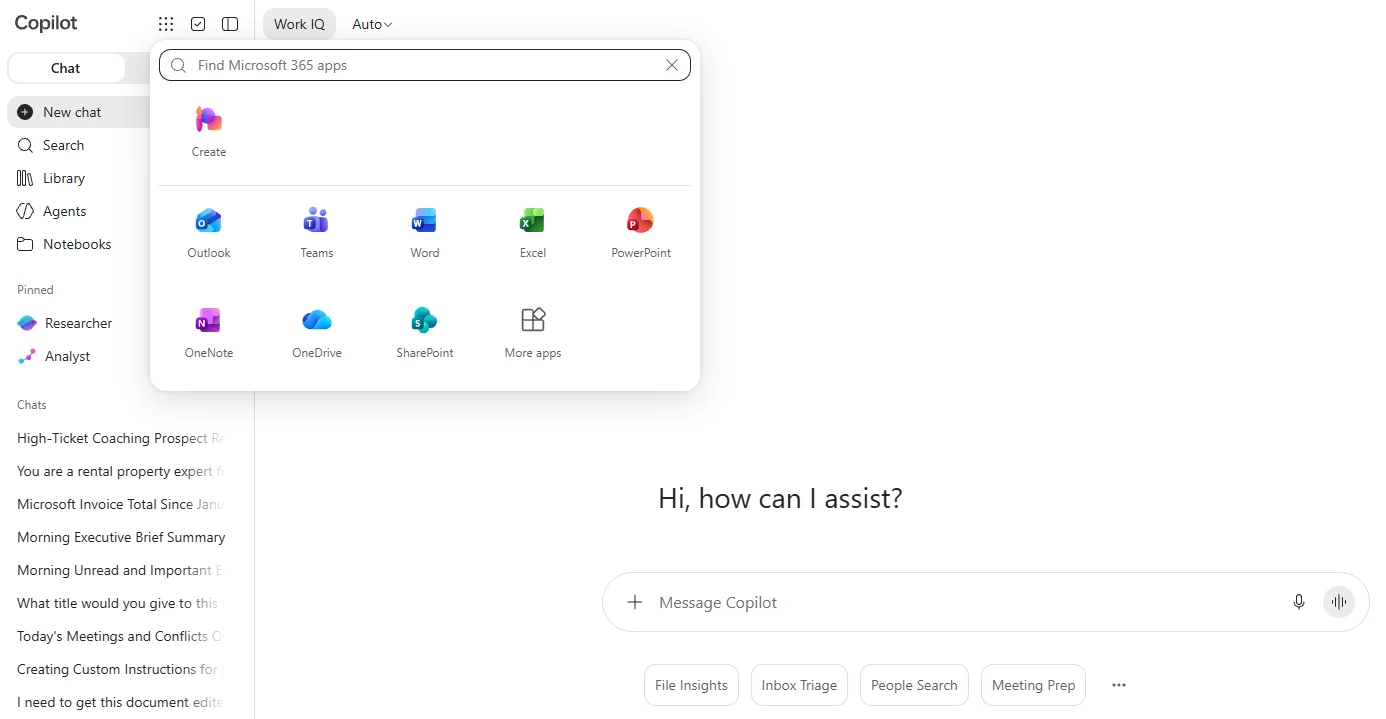
Have each participant open Copilot, sign in with the appropriate work account, and confirm that the expected features are available. Microsoft’s guidance explains that access depends on the account, subscription, and permissions involved. Seeing a Copilot chat window alone doesn’t establish which capabilities an employee has.
Give employees a clear starting point and a named person to contact when something doesn’t work. Then begin with a manageable task.
Confidence starts with completing something successfully.
2. The benefits don’t connect to their actual job
“Copilot will make you more productive” doesn’t tell an employee what to do differently on Monday morning.
They need to see how it helps with work they recognize.
One question I ask in training is:
“What is something you do that’s tedious, time-consuming, and repetitive, but important enough that you have to get it done?”
That question gives us a practical starting point. Someone might describe preparing a recurring report, analyzing a spreadsheet, or turning notes into a client follow-up.
Now we have a task worth exploring.
How to fix it: Ask each employee to identify one recurring task and describe their current process.
Record how long it usually takes and what makes the result acceptable. Then test where Copilot helps and where human judgment is still needed.
A demonstration becomes relevant when an employee recognizes their own workload in it.
3. Training shows features without teaching people how to work
An employee can watch a polished demonstration and still have no idea how to apply it afterward.
In my small cohorts of about 15 people, each participant gets individual attention within the live group session. They bring actual work documents and practice the prompting techniques we’ve discussed.
I ask them to explain what they normally do manually. Then we turn that explanation into instructions for Copilot.
Before they submit the prompt, I ask:
“Pretend I’m an intern working for you, and I don’t know how to do your job. Are those instructions detailed enough for me to complete the task?”
Often, they recognize missing steps immediately.
They haven’t included the relevant document. They haven’t explained what the finished result should look like. Or they’ve left out restrictions that seem obvious to them but won’t be obvious to AI.
How to fix it: Teach employees to give Copilot the information a new colleague would need:
- The task and its purpose.
- The relevant source material.
- The format and level of detail they expect.
- An example of a good result, when available.
- Restrictions, such as “don’t invent missing figures.”
I also encourage employees to treat AI as a thinking partner. Ask it to identify missing information and pose clarifying questions before producing an answer.
That gives employees a repeatable process they can apply beyond the training example.
4. Copilot feels like an extra step in an already busy day
Employees know their existing processes. Even a slow process feels comfortable when they’ve repeated it for years.
Experimenting with AI requires an initial investment of attention. If employees can’t see where it fits, they’ll return to the familiar approach when deadlines arrive.
How to fix it: Build practice around work they already need to complete.
In my training, there’s a week between the first and second sessions. Participants receive a homework assignment: apply what they learned to their work and record the results.
For each task, I ask them to note:
- How long it normally takes.
- The prompt they tried.
- How long the AI-assisted process took, including review and corrections.
- Whether the output met their quality expectations.
In session two, we review their prompts and results together. We look for missing context, vague instructions, and opportunities to improve.
That follow-up matters. It gives employees a reason to practice and a place to bring the problems they encounter.
5. Managers aren’t reinforcing the change
Sending employees to training doesn’t automatically give them time to practice.
If a manager expects every minute to follow the old process, employees receive a mixed message: learn a new approach, but don’t spend time learning it.
How to fix it: Give managers a specific role in adoption.
Ask them to help employees choose suitable tasks, protect time for practice, and discuss results during team meetings. Managers should ask what worked, what needed correction, and what the team learned.
Peer examples also help.
In my cohorts, colleagues see one another’s prompts and results. When someone demonstrates a useful approach, teammates often ask for the prompt or seek that person’s advice.
An employee who began the session feeling hesitant can become someone colleagues turn to for help.
Give those employees a way to share what they learn. A short team demonstration or shared prompt document is a practical place to start.
6. Employees don’t know what company policy allows
Employees shouldn’t have to guess whether they can work with a customer document, personnel record, or internal financial report.
Uncertainty creates hesitation. It also makes consistent training harder because participants don’t know which examples are appropriate.
How to fix it: Give employees clear, task-level guidance.
Your IT, security, HR, and business leaders should agree on answers to questions such as:
- Which Copilot account and experience should employees access?
- Which information may they include?
- Which documents require anonymization or exclusion?
- Which outputs require review or approval?
- Who answers questions about an unfamiliar use case?
Microsoft documents that its business Copilot services respect existing permissions and access controls. Your organization still needs appropriate permissions and clear rules for handling information.
Make those rules usable during a normal workday. Employees need concrete examples of approved tasks and clear boundaries.
7. Employees are afraid of making mistakes
In one financial services cohort I trained, several employees felt intimidated and were reluctant to experiment.
We started with their actual work and reduced the pressure around getting everything right.
For document exercises, I encourage participants to save a copy first. That gives them room to explore without overwriting the original. We keep the exercise within company policy and review the output before it goes anywhere.
Then I walk them through describing the task, improving the prompt, and trying it.
When they see Copilot complete in minutes a task that has taken them much longer manually, that’s when the “wow factor” happens. They begin to see possibilities in their own work.
How to fix it: Create a controlled place to practice.
Start with an approved task, a document copy or training file, and a clear review step. Explain that an imperfect result is something to examine and improve.
Employees need to learn how to check an answer, spot missing information, and revise their instructions. Getting a useful result includes that review.
Start with a pilot you can evaluate
If your organization has paid for Copilot licenses but adoption is low, start with a small cohort before committing to a broader training rollout.
My approach is to work with about 15 employees, help them apply Copilot to real tasks, and bring them back to review what happened during the following week.
That gives decision makers evidence to assess:
- Are employees applying what they learned?
- Which tasks produce useful results?
- How much time does the work take after review and corrections?
- Does the output meet the team’s quality standards?
- What support is needed before expanding?
Time saved is one part of that assessment. To evaluate ROI, compare the value of verified improvements with the costs of licenses, training, and employee participation. Recovered time becomes more valuable when your team puts it toward work the business needs.
Explore a Copilot training pilot for your team
If your employees have Copilot licenses but aren’t getting consistent value from them, book a discovery call with me.
After you book, I’ll send a short video explaining the training approach, course materials, and benefits we’ll work toward. That lets us spend our call discussing your team’s needs, what you’ve already tried, and where employees are getting stuck.
From there, we can determine whether a small pilot cohort is the right next step and what results we should measure.
Book a discovery call to discuss a Copilot training pilot for your team.
Frequently asked questions
What’s the difference between basic Copilot Chat and the paid Copilot license our company purchased?
Basic Copilot has just the chat feature without access to your Microsoft 365 apps like Word, Excel, PowerPoint, or Outlook. The premium Copilot subscription has a left sidebar and a "waffle" icon that opens the Microsoft apps. Each app will have the Copilot icon either in the lower right corner or in the upper right corner of the toolbar.
Which employees should participate in our first Copilot training cohort?
50% of CHROs in Gallup’s CHRO survey are not confident in managers' ability to guide employees' AI use. According to Gallup’s Q1 2026 workforce study, AI adoption is pushing organizational cultures in equally positive and negative directions on average, with managers playing a decisive role in how technology-related changes are perceived by employees. So, that's a strong indicator of who in your organization should be the first cohort to go through our AI Essentials for Copilot training first before committing to sending more of your team to us.
What does your AI Essentials for Copilot training include?
Your AI Essentials for Copilot training is presented in two 2-hour live, virtual sessions over Microsoft Teams or Zoom in small cohorts of up to 15 people each. This group size allows each participant to ask questions and get direct coaching for maximum benefit. Session 1 focuses on laying the foundations of prompt and context engineering with practice on real work tasks within your organization. Each participant is asked to apply their new skills to their work throughout the intervening week so we can review their prompts and AI results during Session 2. We'll be documenting real ROI that can be reported back to key leaders to support your decision to continue with the next cohort. Participants come away with more confidence, looking for more ways they can apply AI to their work.
Can employees practice with their actual work documents during training?
Yes. We encourage each participant to make a copy of their actual work documents that they want to experiment with in class, so they don't have to worry about "messing up" an original. This helps alleviate anxiety and boost their willingness to try new things with their AI tools while remaining in compliance with the organization's AI use policy.
How do we measure time savings, output quality, and ROI from the pilot?
We typically measure time savings by first documenting the current workflow and the time each step takes. Then we apply AI within those steps to measure the time difference. We then review the AI output with each participant for quality and accuracy using a human-in-the-loop approach before distributing any output. ROI can be calculated internally by management using the employee's pay rate and the documented time saved and work quality improvement.
What should managers do to support continued Copilot adoption after training?
I recommend that managers who have completed the trial cohort of AI Essentials for Copilot share their best takeaways from the program with their team. They should become ambassadors for the training, stressing the positive, supportive approach we use in training, the ease of use, and the increased value they developed with these enhanced skills.
What happens after the pilot if we want to train more employees?
Let us know when you want the next cohort to begin, along with a few available dates and times, so we can schedule it on our calendar. Next, please provide a list of names and email addresses for each attendee so we can send calendar invites with the Teams or Zoom meeting link. Then we'll send the invoice.
Bring practical AI skills into your team’s everyday work.
Explore AI training